Networking Core

Systems Engineer with knowledge and skills on configuring, monitoring and troubleshooting various IT systems from Servers to workstations, networks. A goal oriented and rapid learner. Passionate about technology and improving every day.
Overview
In this post, we will configure the networking core for our setup. We will start by completely configuring the Sonicwall TZ 350 and then the Cisco Switch C3560.
VLANs
Virtual LANs (VLANs) provide us with a powerful tool to separate a single network into different independent ones, providing flexibility and security for our network deployments.
We will segment our network into different VLANs based on their purpose:
MGMT: Management VLAN, used to manage/configure all network devices.
ENT: Enterprise VLAN, this will be the main Corporate VLAN where the servers and workstations will be and share its resources.
VOICE: Its purpose is to provide a connection to VoIP devices.
SECURITY: VLAN for security appliances.
GUEST: VLAN for Guest WIFI devices.
| VLAN ID | NAME | SUBNET |
| 1 | MGMT | 10.99.99.0/24 |
| 10 | ENT | 10.10.10.0/24 |
| 20 | VOICE | 10.20.20.0/24 |
| 30 | Security | 10.30.30.0/24 |
| 40 | Guest | 10.40.40.0/24 |
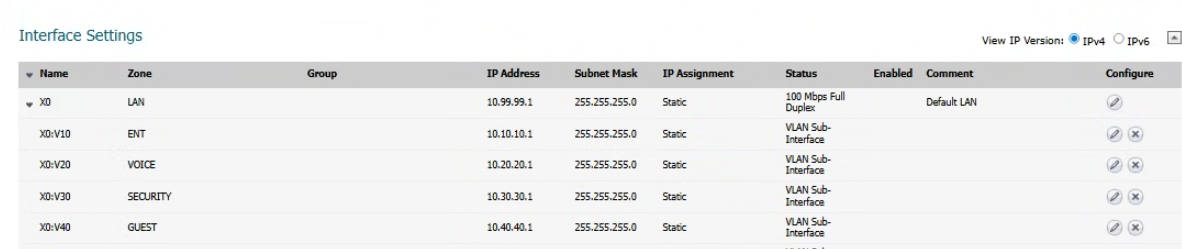
Sonicwall
Zones
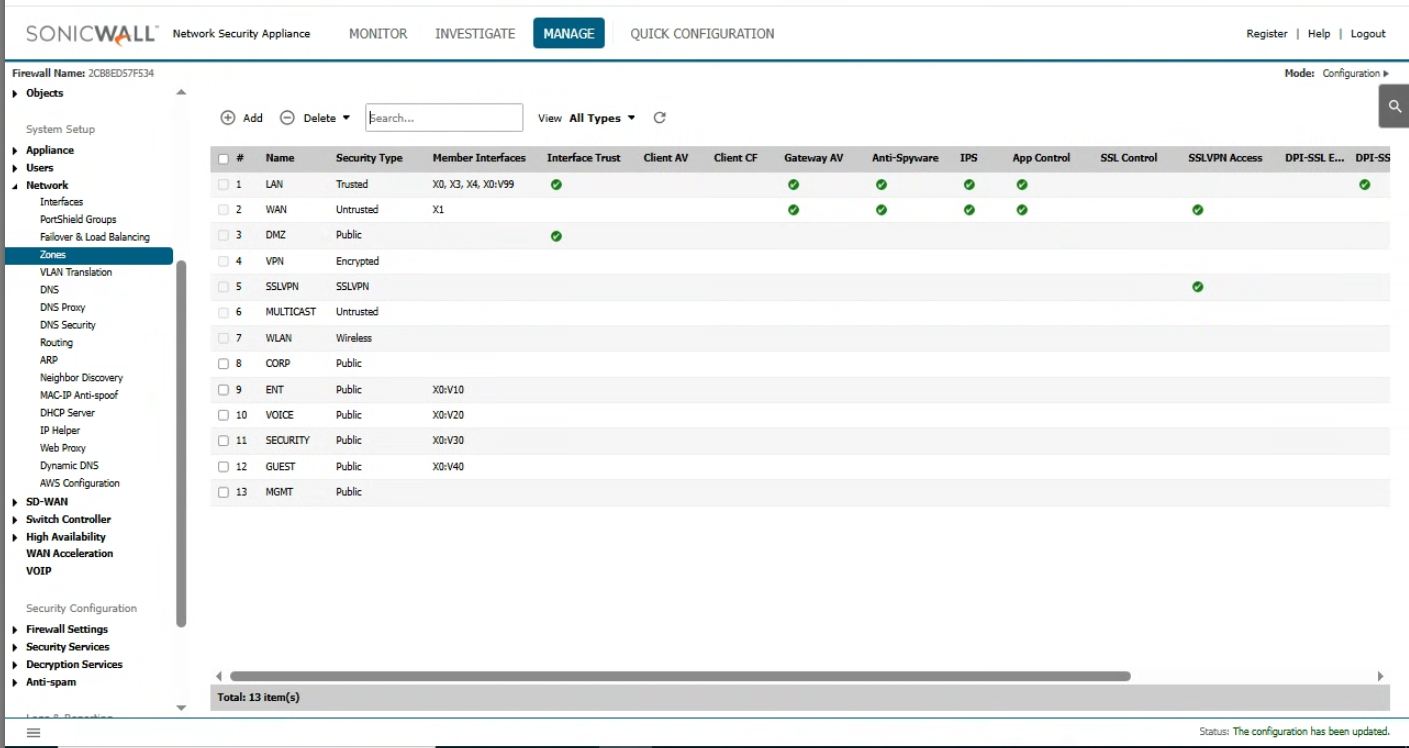
Zones are a logical grouping of network interfaces that share the same security policies. Zones help administrators manage access control and security services by grouping network resources and controlling the flow of traffic between them.
For our deployment, we will have different zones:
MGMT: For management (Network devices …)
ENT: Enterprise devices (Servers and workstations)
VOICE: VoIP devices.
Security: Security devices
Guest: Guest WiFi
WAN
WAN IP is provided by our ISP Modem, in this case as a private IP, by DHCP.

DHCP
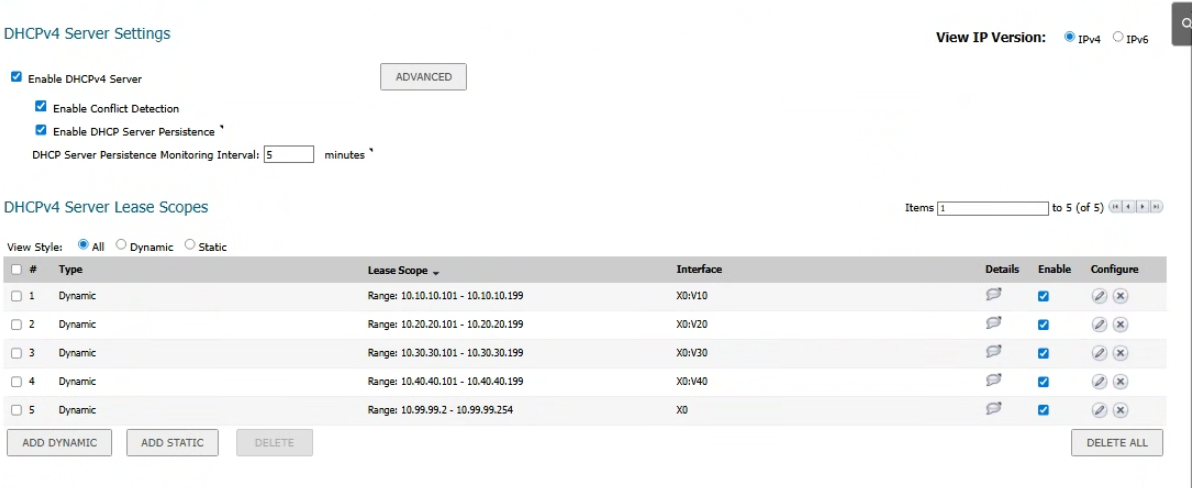
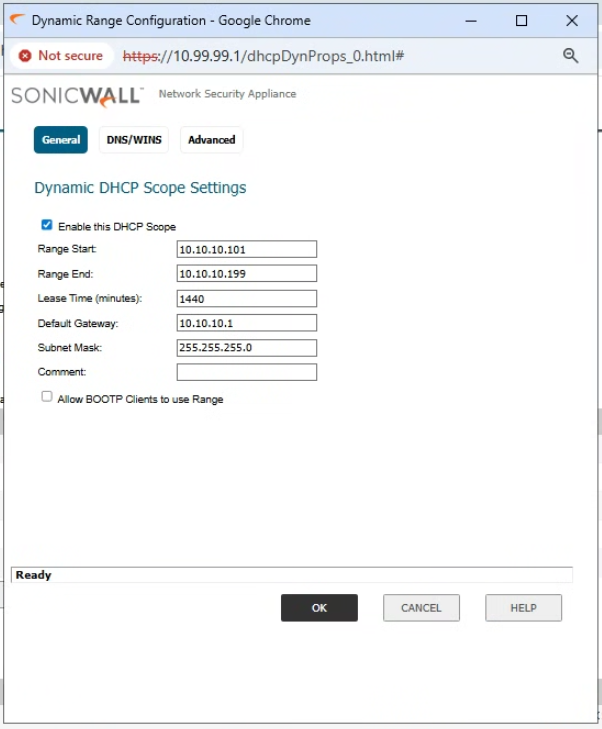
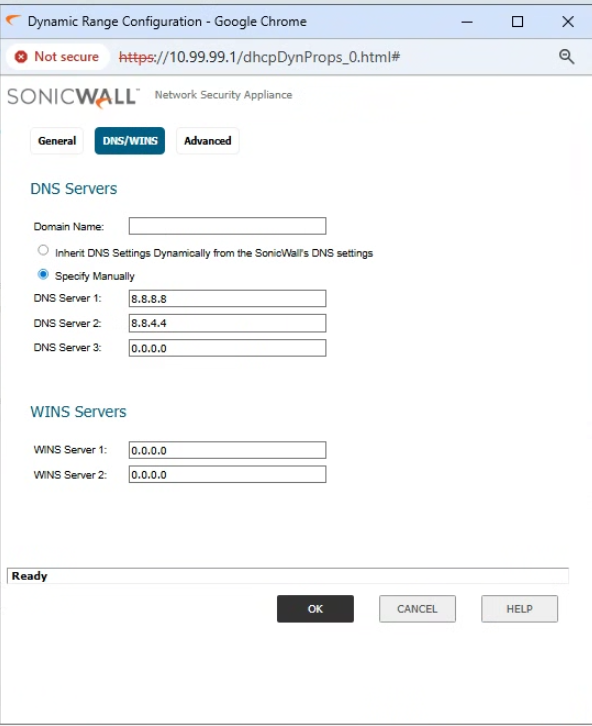
DHCP in Sonicwall is pretty straightforward, just need to create the pool and assign it to the Interface:
Firewall rules
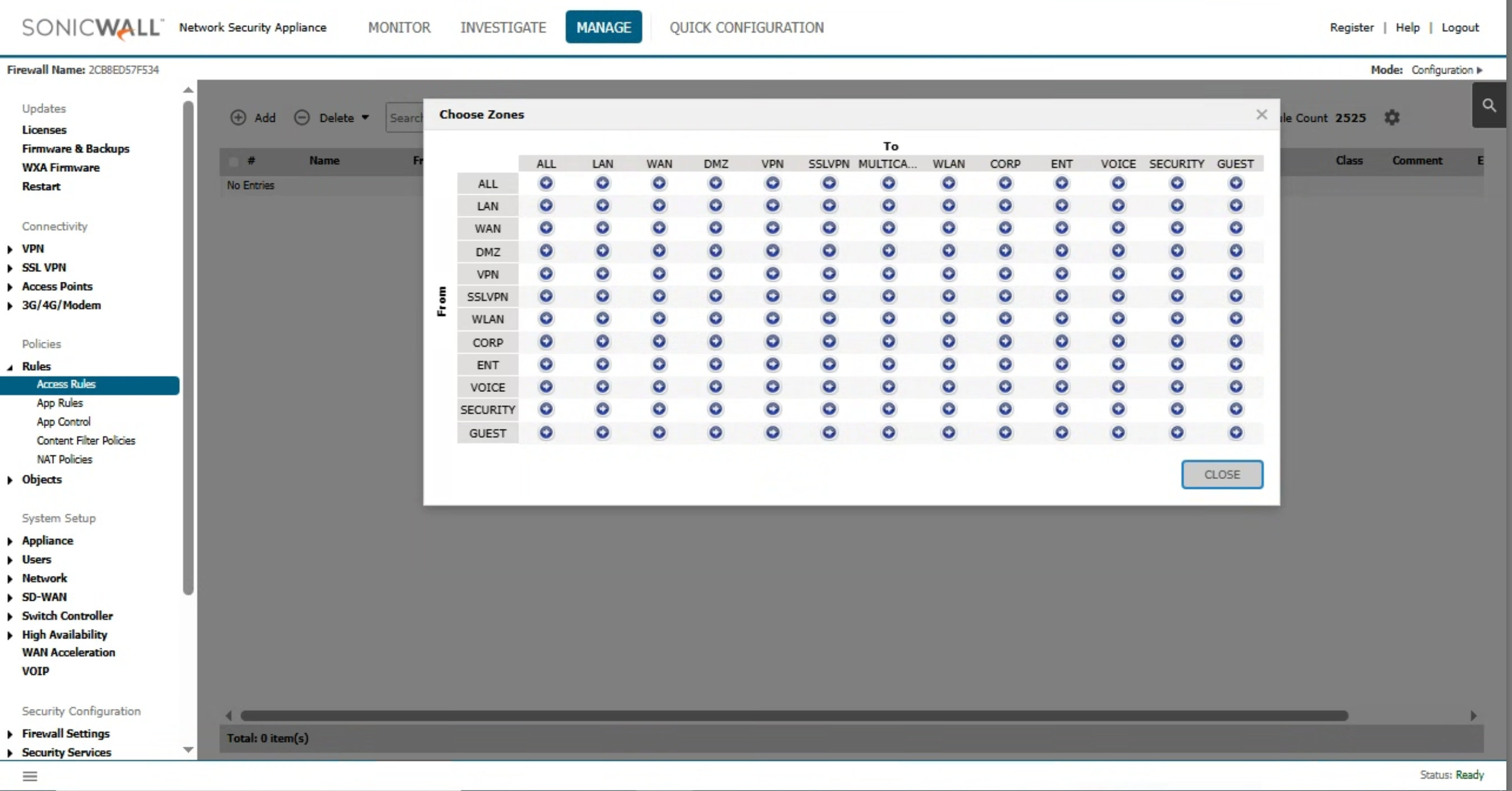
Firewall rules dictate how the traffic will be handled, what type of traffic (port(s), protocol(s)) will be allowed, and in which direction. We can first define From (Source) and To (Destination), then build the rule.
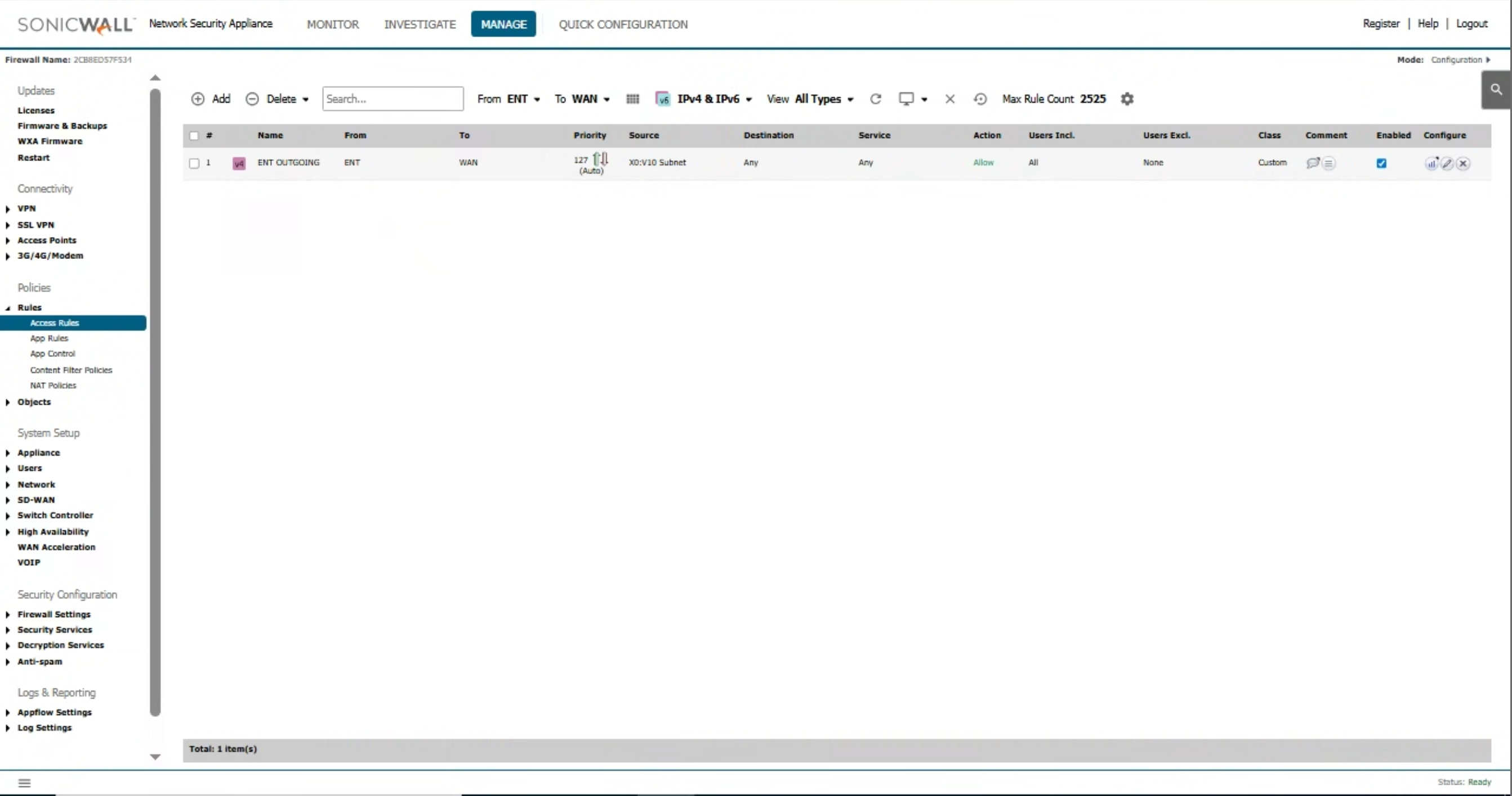
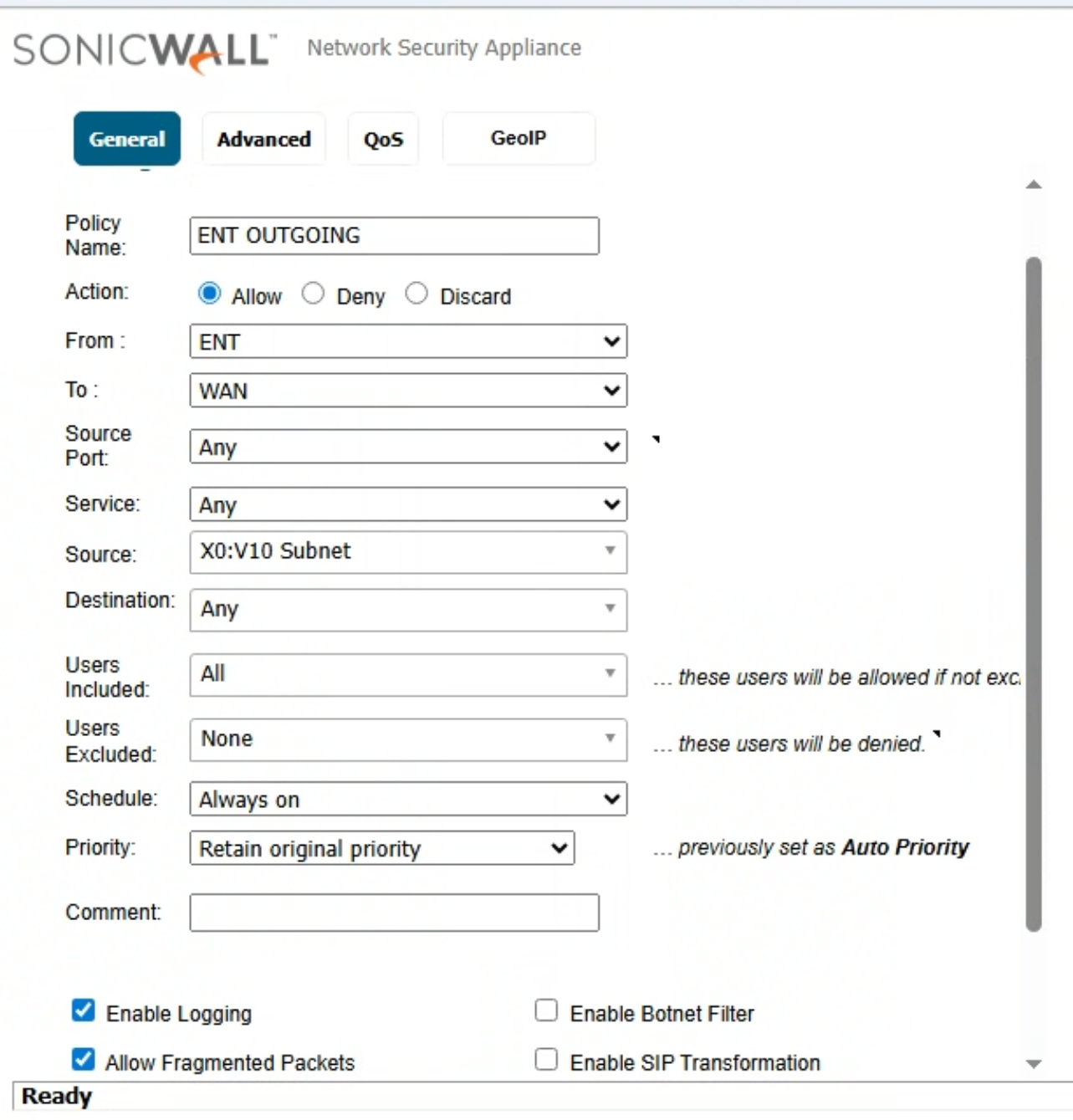
For our purpose, we built the following rule:
This will allow all traffic from the Enterprise VLAN (ENT) to the WAN (Internet), thereby providing an Internet connection to all devices on it.
Verification
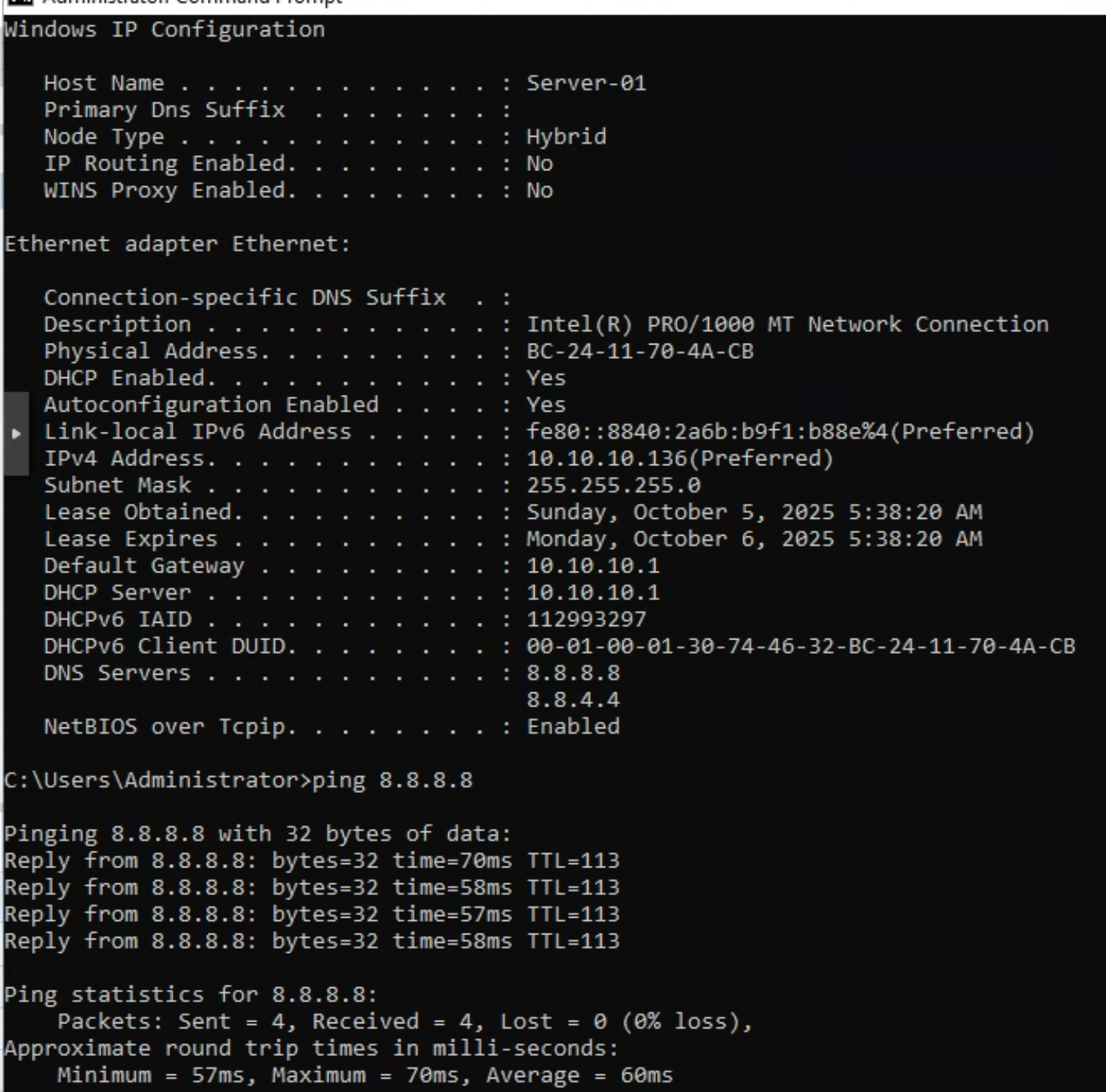
We have Server-01 on the ENT VLAN with IP address 10.10.10.136. We can confirm that it’s able to ping 8.8.8.8 and access the internet.
InterVLAN communication/rules
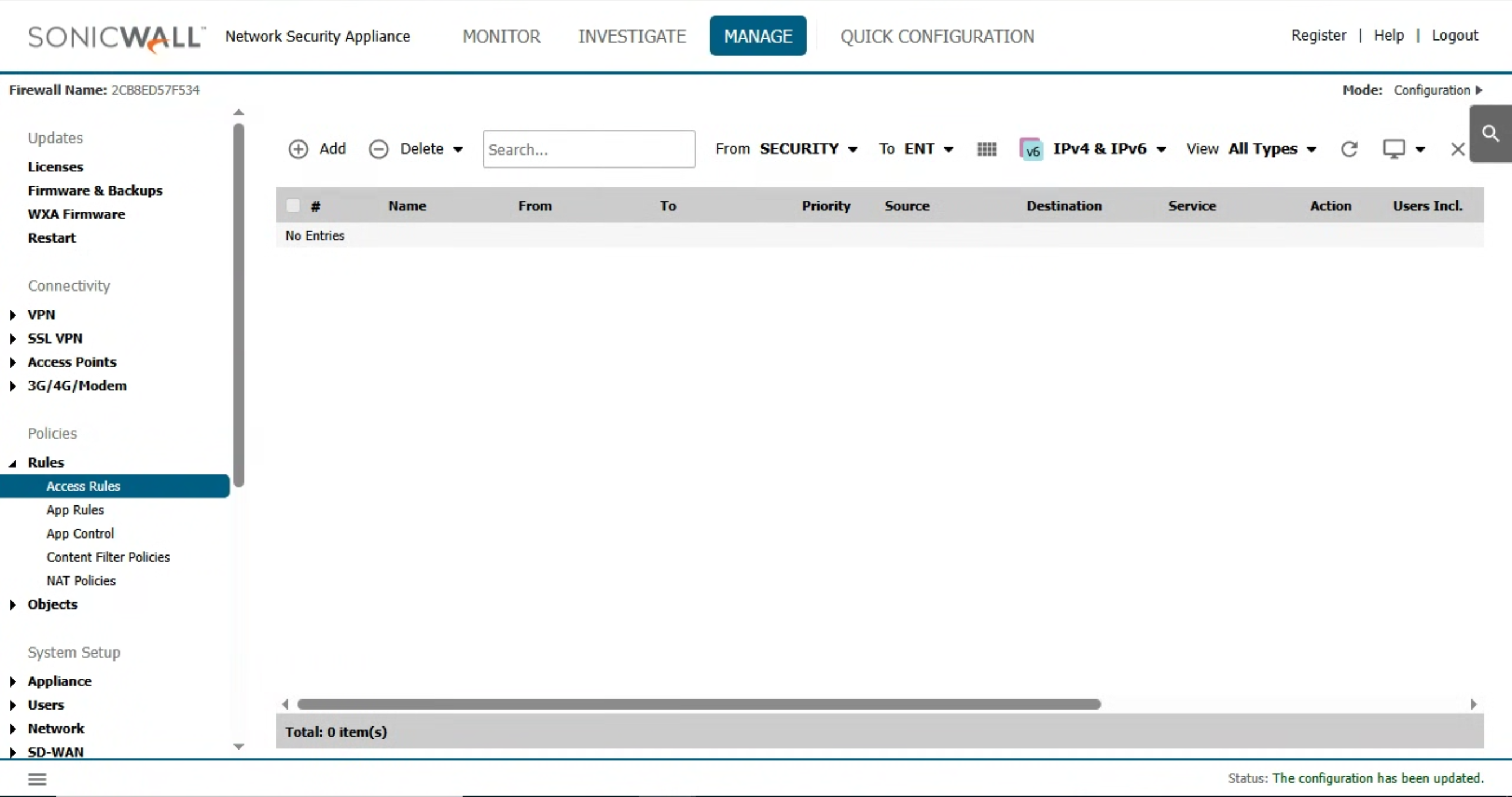
By default, there are no rules that allow communication between Zones; therefore we will need to build them manually.
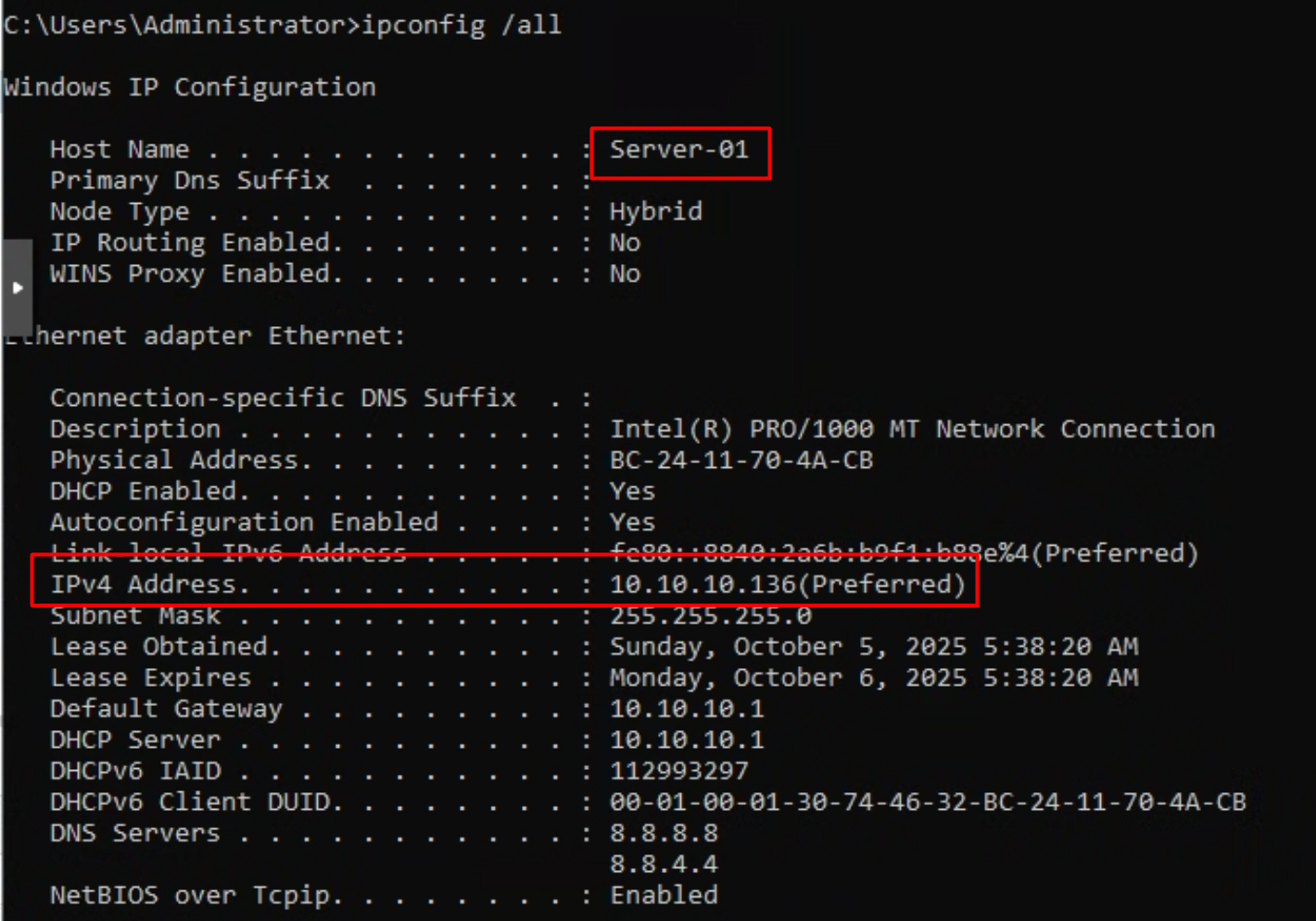
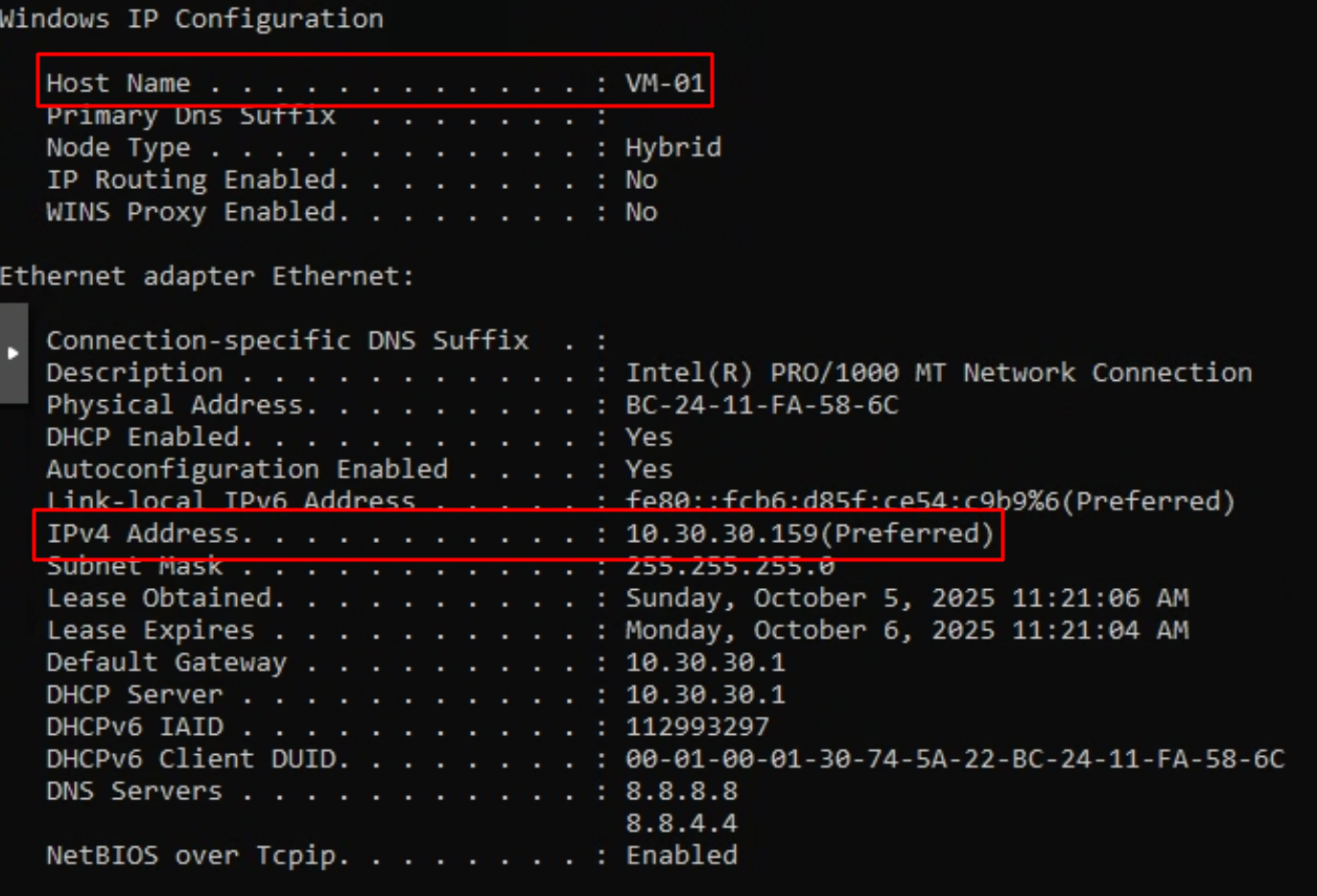
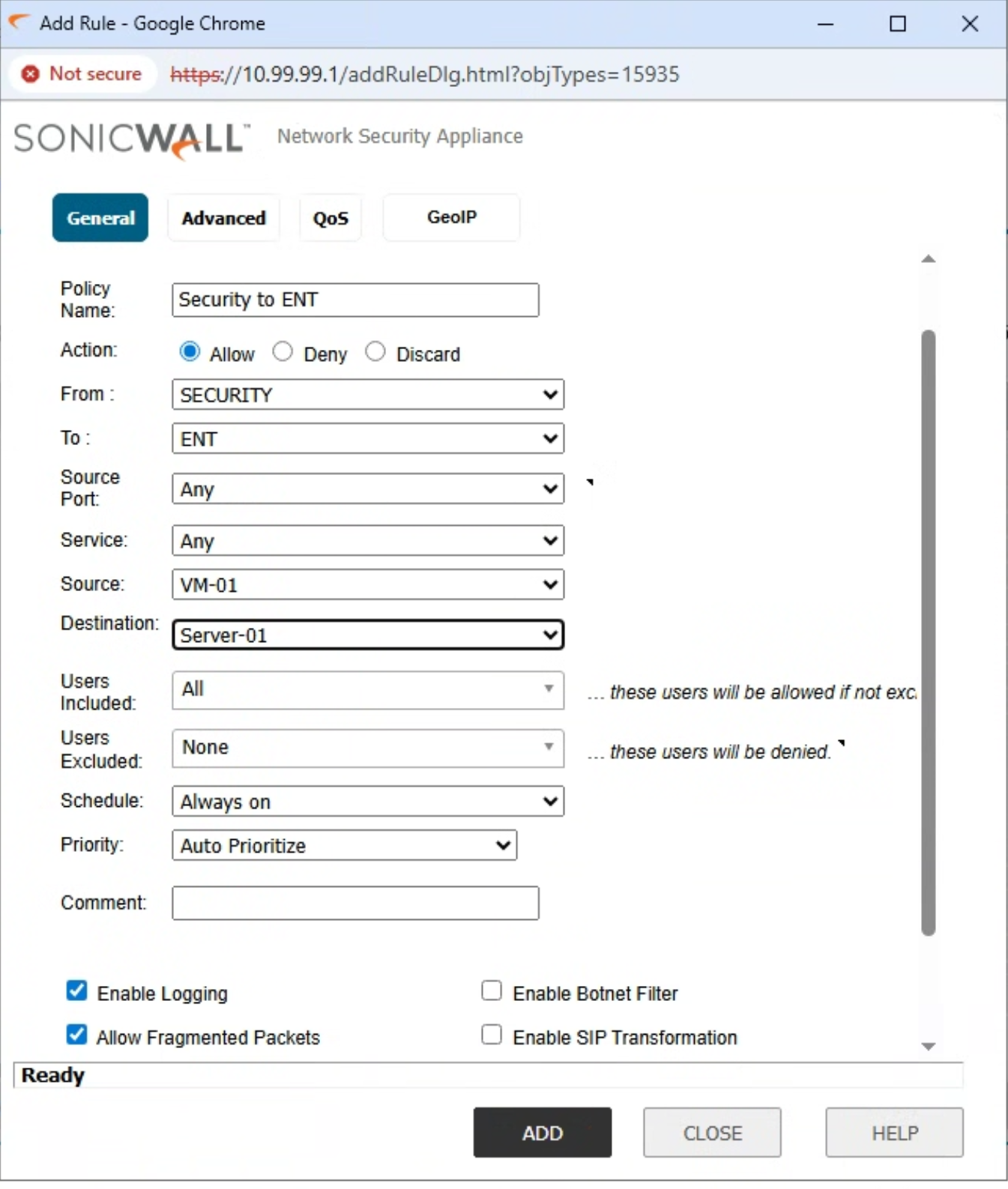
Let’s say we have a VM-01 device on the Security VLAN and it needs to communicate with Server-01 on the ENT VLAN, at this point, it is not possible:
Server-01:
VM-01
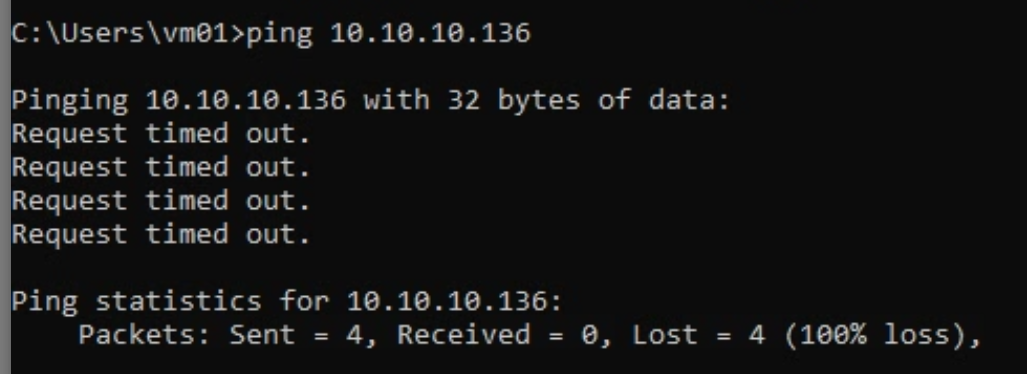
No rule exists; therefore, no communication is possible
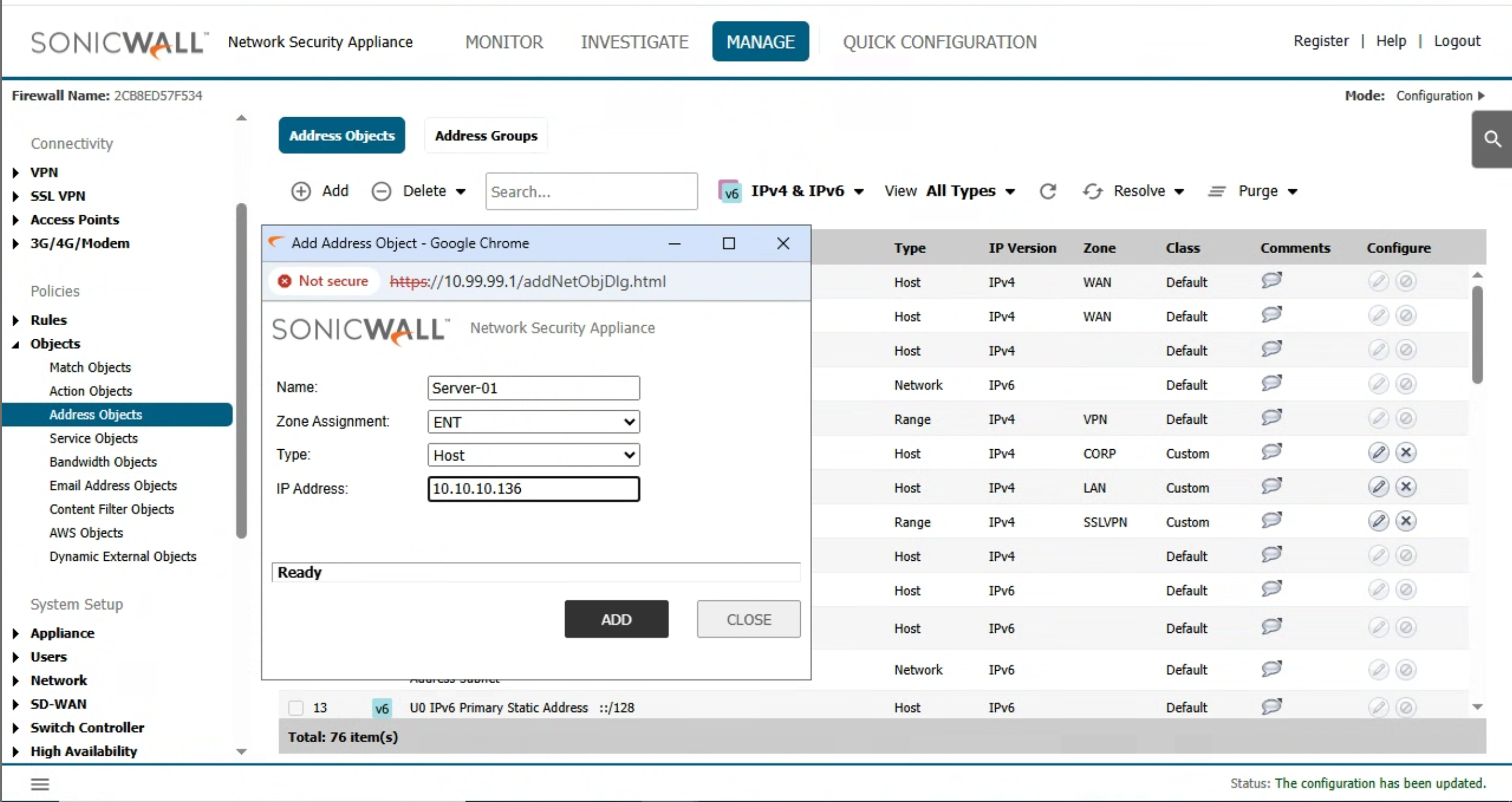
We create an address object with Server-01 IP:
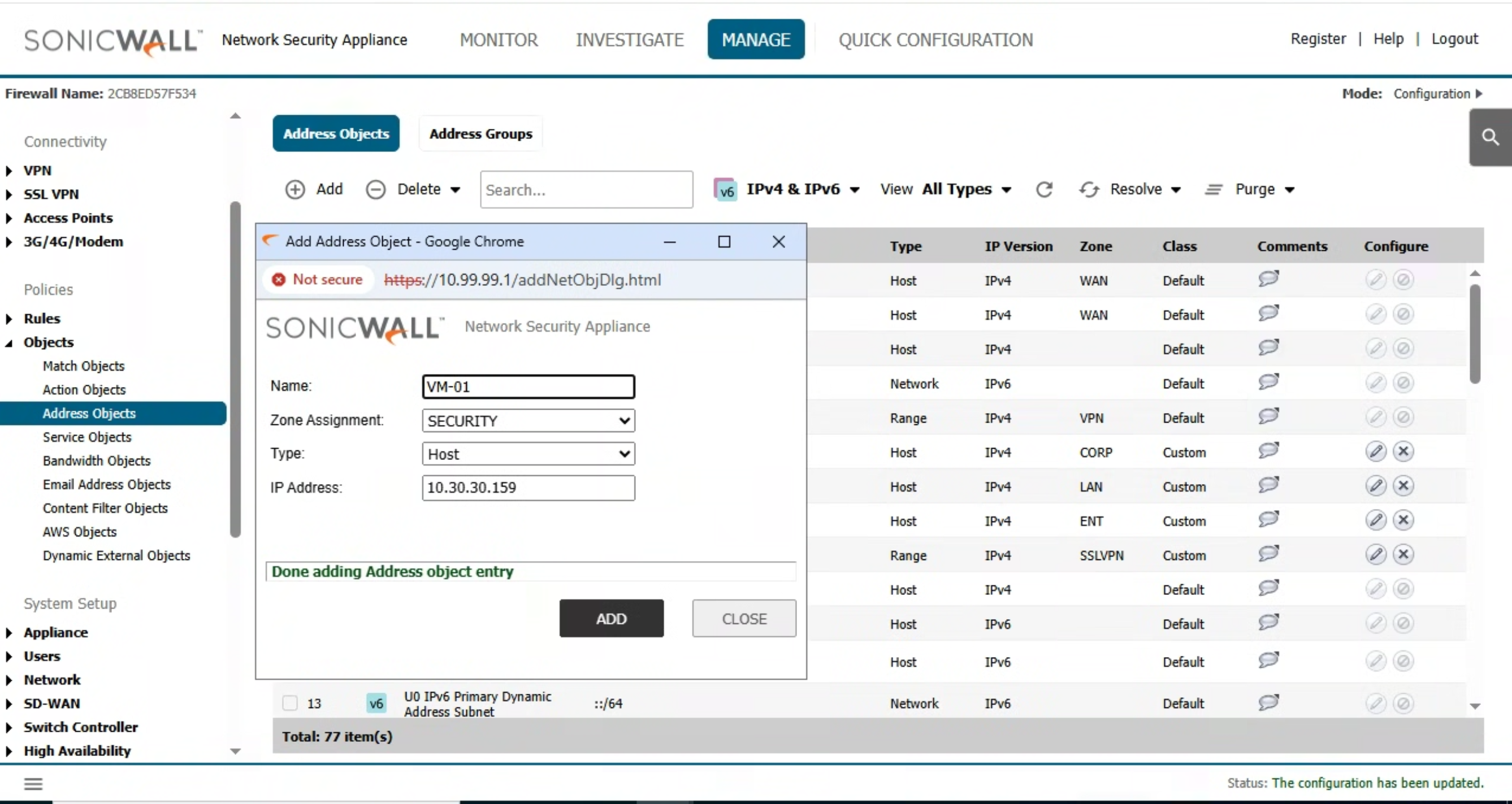
Create another address object for VM-01:
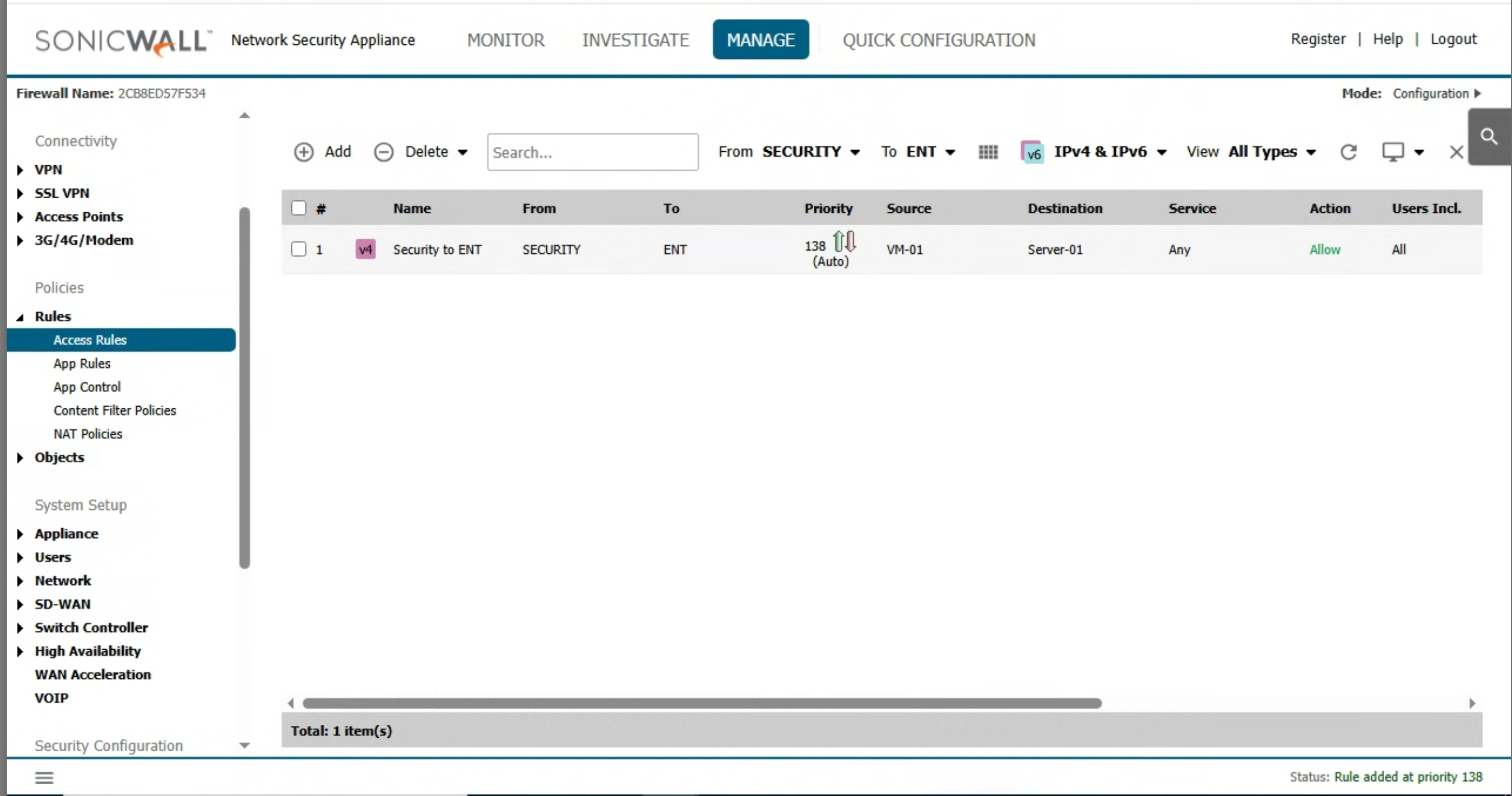
Now, create the rule
Rule is created:
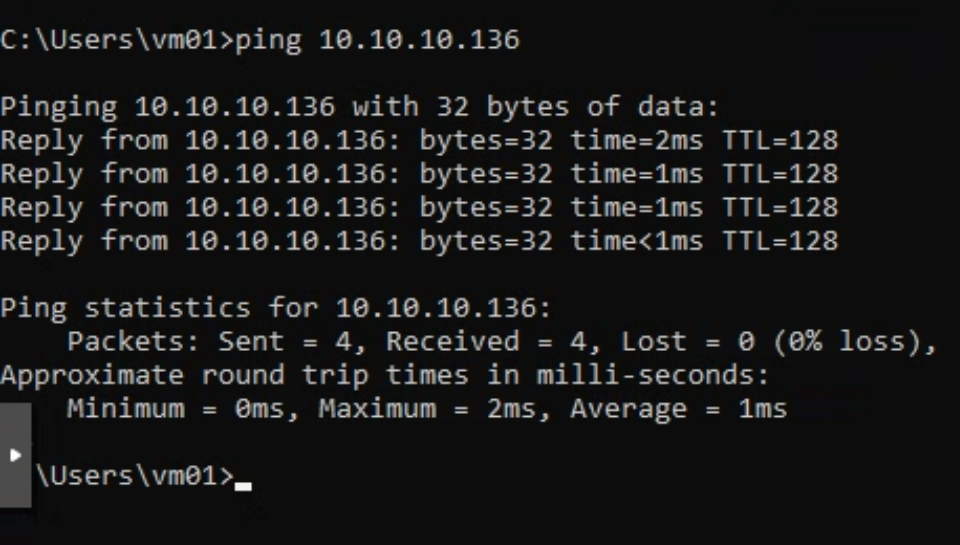
We can confirm ping (and communication) is working now:
Security services
Even though our SonicWall TZ 350 isn’t licensed for paid features, it’s worth exploring the security services that make next-generation firewalls (NGFWs) so relevant today.
These services transform a firewall from a simple packet filter into a complete threat-prevention platform — something every modern branch or business needs.
Gateway Anti-Virus (GAV)
What it does:
Scans all inbound and outbound traffic for known viruses, trojans, and worms using SonicWall’s continuously updated signature database.Why it matters:
Traditional endpoint antivirus can’t catch threats before they enter the network. GAV stops malware at the perimeter, reducing infection risks before they ever reach users or servers.
Intrusion Prevention Service (IPS)
What it does:
Monitors network traffic for patterns matching known exploits and attack signatures (like buffer overflows, SQL injection, or DoS attempts).Why it matters:
New vulnerabilities appear daily — IPS provides an extra layer that detects and blocks attacks targeting unpatched systems or misconfigurations.
Application Control / App Control Advanced
What it does:
Identifies and manages thousands of applications, even when they use non-standard ports (e.g., BitTorrent, Zoom, WhatsApp).Why it matters:
Gives admins visibility and control over what’s running on the network — critical for enforcing security, productivity, and bandwidth policies.
Content Filtering Service (CFS)
What it does:
Filters web access based on categories (social media, gambling, adult content, etc.) and blocks access to known malicious or phishing sites.Why it matters:
Protects users from unsafe or inappropriate websites and helps maintain compliance with company or regulatory policies.
Capture ATP (Advanced Threat Protection)
What it does:
A cloud-based sandbox that detects and analyzes suspicious files in real time to detect zero-day and ransomware threats before they reach endpoints.Why it matters:
Signature-based tools can’t stop new or modified malware — sandboxing detects unknown threats by observing behavior, not just signatures.
Geo-IP & Botnet Filtering
What it does:
Blocks or limits traffic to/from IP ranges or domains associated with certain countries or known botnet command-and-control networks.Why it matters:
Reduces exposure to global attacks and helps ensure your network isn’t communicating with compromised or high-risk regions.
Switch
We have a Cisco Switch C3560 with 48 ports, for now we will only connect The Sonicwall, the Proxmox Host and reserve few ports for workstations.
Physical connection
Port # | Mode | BBM-B-SW01 |
1 | Trunk | Sonicwall |
2 | ||
3 | ||
4 | Trunk | BBM-B-PHOST-01 |
5 | Trunk | BBM-B-PHOST-01 |
6 | Trunk | BBM-B-PHOST-02 |
7 | Trunk | BBM-B-PHOST-02 |
8 | Trunk | BBM-B-PHOST-03 |
9 | Trunk | BBM-B-PHOST-03 |
10 | ||
11 | Access | Reserved for workstations |
12 | Access | Reserved for workstations |
13 | Access | Reserved for workstations |
14 | Access | Reserved for workstations |
15 | Access | Reserved for workstations |
16 | Access | Reserved for workstations |
17 | Access | Reserved for workstations |
18 | ||
19 | ||
20 | ||
21 | ||
22 | ||
23 | ||
24 | ||
25 | ||
26 | ||
27 | ||
28 | ||
29 | ||
30 | ||
31 | ||
32 | ||
33 | ||
34 | ||
35 | ||
36 | ||
37 | ||
38 | ||
39 | ||
40 | ||
41 | ||
42 | ||
43 | ||
44 | ||
45 | ||
46 | ||
47 | ||
48 |
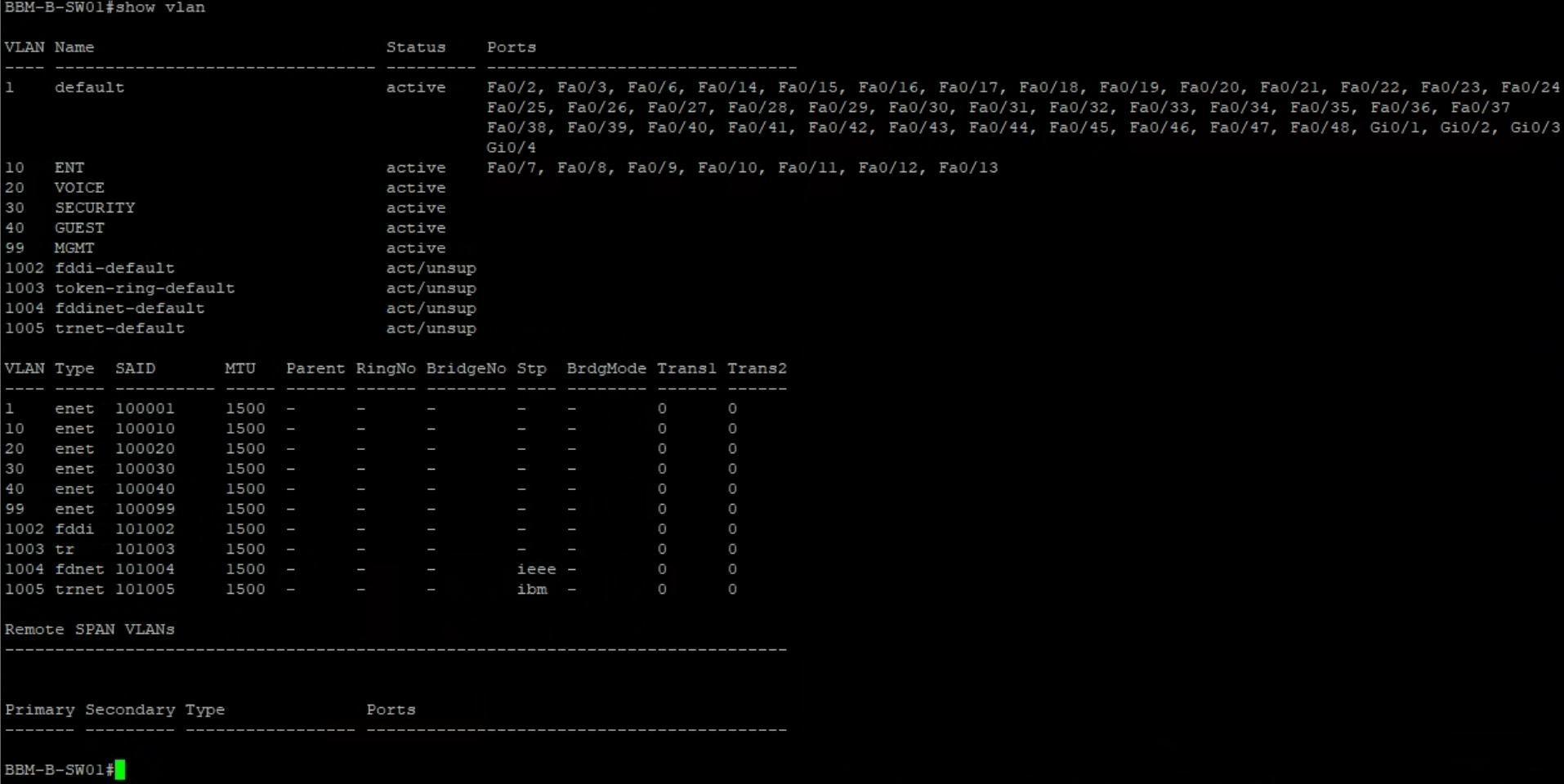
VLANs / Interfaces assignation
Here we can verify which Interface belongs to which VLAN:
Trunk port
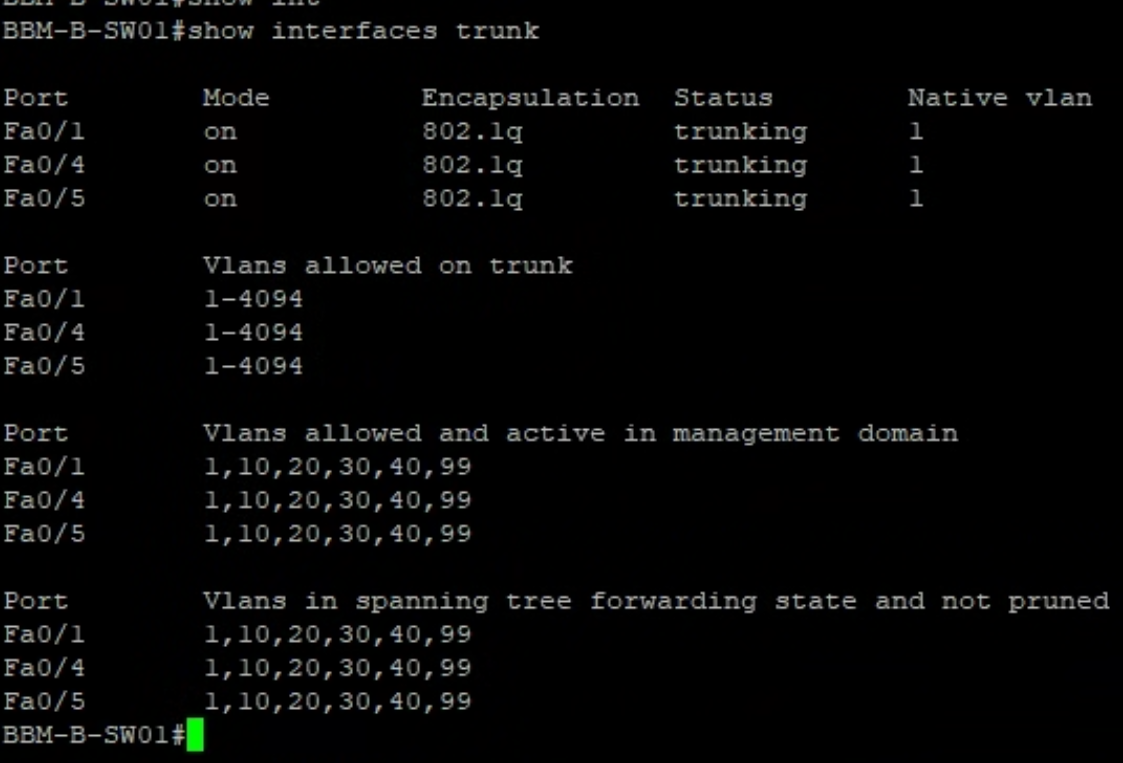
A trunk port is a switch port that can carry traffic for multiple VLANs over a single physical connection. Instead of dedicating one cable per VLAN, a trunk port tags each frame with a VLAN ID (using IEEE 802.1Q), allowing different network segments to share the same link.
Our Proxmox host and the SonicWall firewall both need access to several of these VLANs. By using a trunk port between the Cisco switch and these devices, we can:
Carry multiple VLANs on one uplink
Keep traffic segmented and secure
Simplify cabling and network design
Make it easy to expand with new VLANs in the future
Conclusion
With our networking core now fully configured, we’ve laid the foundation for everything that will come next in this branch.
We started by defining our VLAN structure, establishing logical separation between different areas of the network — from management and enterprise traffic to voice, security, and guest Wi-Fi. Then we configured our SonicWall TZ 350, setting up zones, DHCP, and firewall rules to control traffic between VLANs and provide secure Internet access.
On the switching side, we prepared our Cisco Catalyst 3560 with trunk and access ports, ensuring that both the firewall and the Proxmox host can communicate across multiple VLANs efficiently and securely. This design not only simplifies our cabling but also gives us the flexibility to scale as the branch grows.
Finally, we explored the SonicWall security services, understanding how features like IPS, GAV, and Content Filtering can add powerful layers of protection — even if they’re not yet licensed in this lab environment.
Stay tuned for more content.
Thanks for reading!
Link to the series 👉https://beyondbaremetal.hashnode.dev/series/beyond-bare-metal-first-branch


